

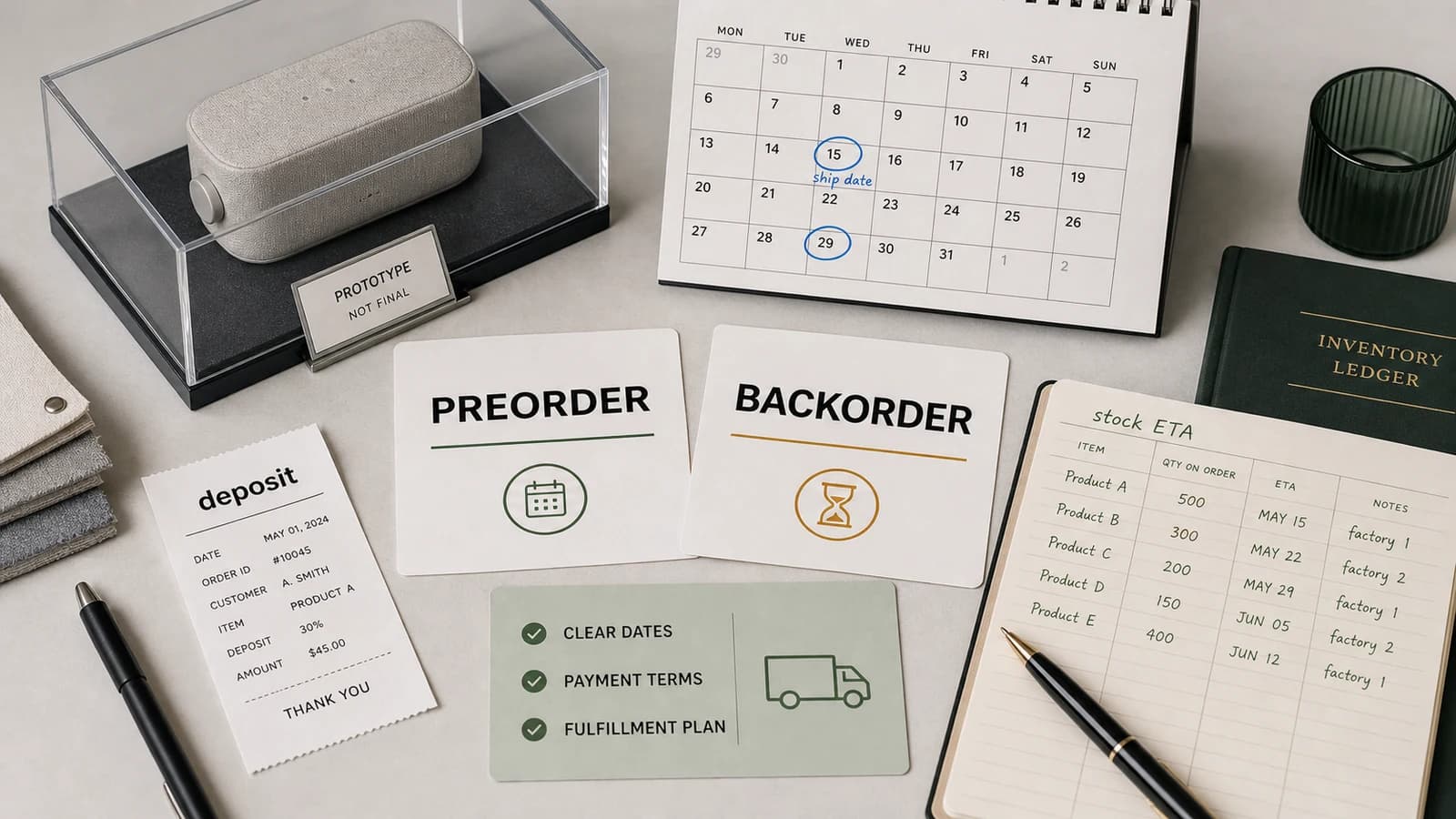
E-commerce pre-order is not selling smoke: it is selling a dated promise
Guide
Selling without stock can be legitimate when the customer understands what they are buying, when it will ship and what happens if plans change. It becomes dangerous when the store hides uncertainty behind a normal buy button. The buyer thinks the product is almost ready; the operation is actually waiting for production, supplier confirmation or inbound stock.
A proper pre-order page should make the promise visible before add to cart: expected shipping date, payment timing, cancellation rules and whether other items in the order will wait. The promise must also match emails, customer account, support scripts and feeds.
- Use the correct state: preorder, backorder or out of stock.
- Show an expected shipping date near the purchase button.
- Explain payment, cancellation and split shipment rules.
- Keep product page, feed and emails aligned.
- Calculate margin after delays, cancellations and support time.
Preorder, backorder and out of stock do not mean the same thing
Preorder usually refers to a product that has not launched yet. Backorder refers to an existing product that is temporarily unavailable but can still be ordered. Out of stock means the customer cannot buy now. Treating all three as the same state creates confusion for both shoppers and systems.
The distinction matters because expectations differ. A preorder may be part of a launch. A backorder may be accepted because replenishment is close. An out-of-stock item should usually offer notification, alternatives or a clear return date instead of a hidden sale.
Merchant Center requires visible dates when selling preorder or backorder
Google Merchant Center asks merchants to use the correct availability value and provide an availability date for preorder or backorder items. That date should not live only in the feed. It needs to appear on the landing page so users and systems see the same promise.
If the feed says preorder but the page looks in stock, or if the page promises a date the feed does not carry, the store creates both policy risk and customer confusion.
The date is not decorative: it defines production, shipping and risk
A delivery estimate is a planning object. It connects supplier lead time, production status, inbound logistics, warehouse processing, carrier capacity and customer communication. If any part is uncertain, the copy should be conservative enough to survive reality.
The team should decide what happens when the date slips before it slips. Will customers be warned automatically? Can they cancel? Will partial shipments be offered? Those answers should not be improvised after complaints arrive.
Cash collected before shipping is not margin: it is responsibility
Pre-orders can improve cash flow, but the money is not earned in the same way as a fulfilled order. The store may still face production problems, delays, refunds, chargebacks, customer service time and goodwill gestures. Margin needs to include those costs.
A product with strong demand but weak operational certainty can become expensive quickly. The longer the wait, the more the store must communicate proactively.
An out-of-stock product should not be a dead end
When a valuable product is temporarily unavailable, the page can still serve the customer: show the status, expected return, notification option and closest alternatives. Removing the page or pretending stock exists are both bad solutions.
If the product will not return, the store should redirect only when there is a real substitute. Otherwise it is better to explain discontinuation and help the user continue shopping honestly.
SEO: do not kill valuable URLs only because stock is missing today
Product URLs can hold search demand, links, reviews and customer familiarity. If stock will return, keeping the page live with accurate availability, alternatives and alerts can preserve value. But the page must not rank by pretending the product is available.
For categories with recurring stockouts, content should explain options and timing. That helps users and search systems understand whether the page remains useful.
Fulfillment: selling before receiving stock requires a daily board
A pre-order operation needs daily visibility: units sold, units confirmed by supplier, expected arrival, promised customer date, delayed orders, cancellations and support contacts. Without a board, the store discovers problems through angry emails.
The board should be shared between marketing, operations and support. Marketing should not keep selling a promise that operations can no longer defend.
When to use pre-order and when it is better to wait
Pre-order makes sense when demand is predictable, supplier timing is reliable, margin can absorb risk and customers have a reason to wait. It is weaker when the store uses it to hide uncertainty or finance stock without being transparent.
A waitlist is often safer when confidence is low. It captures demand without charging the customer and gives the store better evidence before committing to a paid promise.
A 14-day playbook for launching pre-order without improvising
Start by defining the exact stock state, availability date, supplier confidence and margin after risk. Update product page, cart, order confirmation, Merchant Center feed and support scripts so the same promise appears everywhere.
Then launch with controlled volume, monitor cancellations and support contacts daily, and stop or slow sales if the promised date becomes unsafe.


Help people discover your shop
If you run an online shop, publish it on TienRank for free to strengthen your website authority and help Google and AI systems understand your brand better.


The TienRank reading: pre-order is a trust tool, not an urgency trick
A good pre-order lets a customer secure a product they genuinely want while understanding the wait. A bad pre-order makes stock uncertainty look like scarcity and converts operational risk into customer frustration.
The difference is discipline: visible dates, aligned systems, honest support and a margin model that survives delays.
Further reading
Support useful news
Was this analysis useful?
Upvote it so it rises in News, reaches more e-commerce owners and helps us prioritize the cases that genuinely improve decision-making.
Frequently asked questions
What is the difference between preorder and backorder?
Preorder is usually for products that have not launched yet. Backorder is for existing products that are temporarily unavailable but can still be ordered.
Can an online shop sell a product without stock?
Yes, if it accepts orders with a defensible date, clear payment and cancellation rules, and consistent page, feed and email information.
What does Google Merchant Center require?
It requires the right availability value and an availability date for preorder or backorder products, with the same promise visible on the landing page.
Is a waitlist better than a paid pre-order?
A waitlist measures interest without taking payment. A paid pre-order creates stronger commitment and cash flow, but also higher responsibility.
What should I do with an out-of-stock page for SEO?
If stock will return, keep the URL with the real status, date, alert and alternatives. If it will not return, redirect only to a true substitute.
Which metrics matter in a pre-order?
Committed units, promised date, delays, cancellations, refunds, support contacts, realized margin and customer satisfaction after delivery.
Sources
Community
Ask a question, add nuance or share how you would apply it to your own shop.