

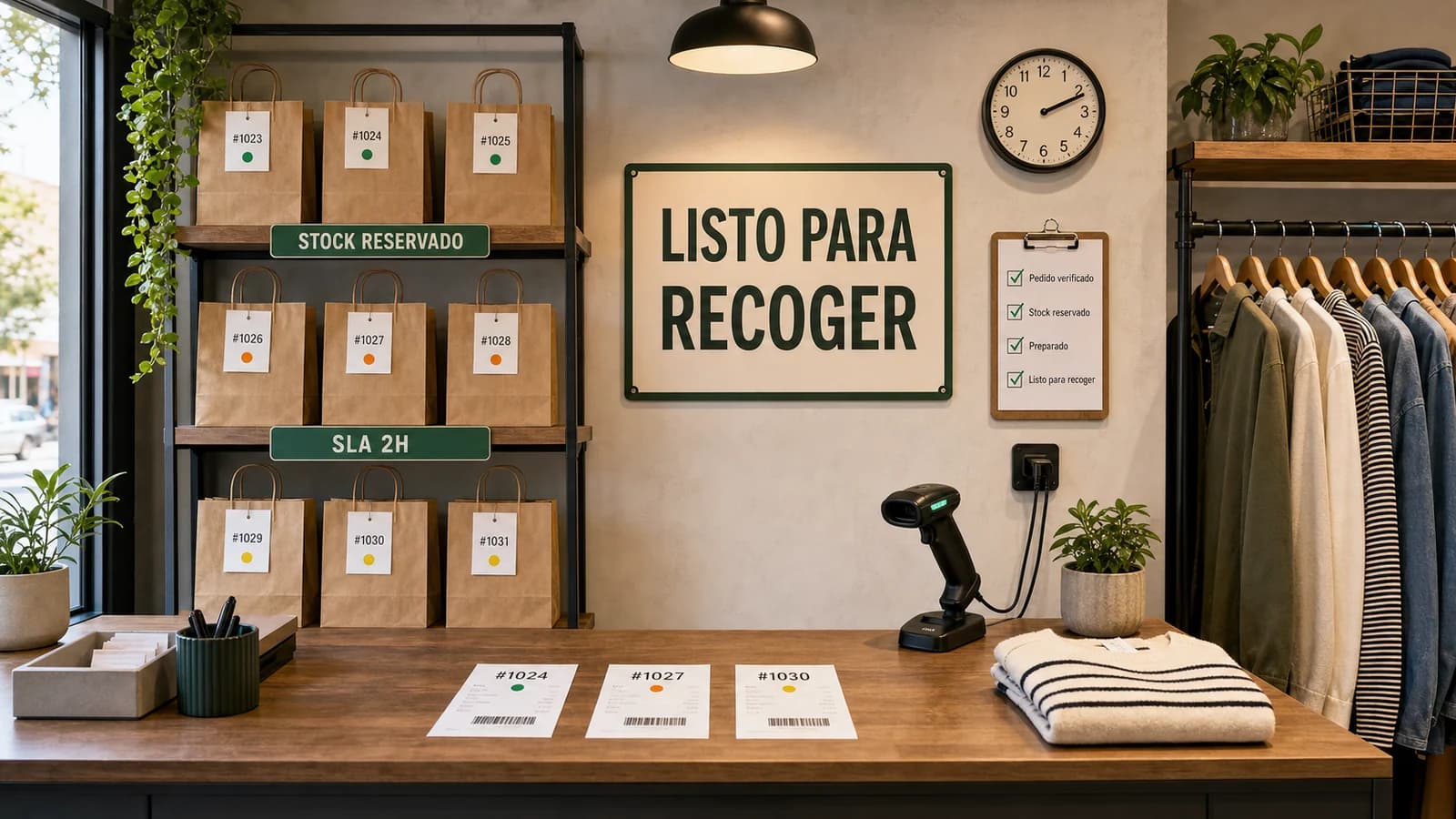
The guide: click and collect starts in stock, not in checkout
Guide
Click and collect looks like a checkout feature, but it is really an inventory and operations promise. The customer sees a convenient pickup option; the business must reserve the unit, prepare it, hold it, notify the buyer and hand it over without confusion. If the stock record is wrong, the promise fails before the customer reaches the store.
For that reason, the safest rollout is usually limited. Start with a small number of locations, products and pickup windows. Measure preparation time, failed pickups, support contacts and customer satisfaction before making the button more prominent.
- Reserve stock before confirming pickup.
- Use conservative preparation windows until real times are measured.
- Show pickup cost, location, hours and restrictions before payment.
- Track failed pickups as a trust metric, not as a minor exception.
BOPIS, ROPIS, pickup today and pickup later do not promise the same thing
Buy online, pick up in store usually means the customer pays online and expects the item to be ready. Reserve online, pick up in store is weaker: the customer may still need to pay or confirm later. Pickup today is a speed promise. Pickup later is a convenience promise. Mixing these models creates misunderstandings.
The product page and checkout should name the promise clearly. If payment, stock reservation or preparation status changes by model, the copy should explain it before the customer commits.
Inventory: reserve before promising and subtract before selling again
The store needs a state between available for sale and already delivered. Once a pickup order is accepted, that unit should be blocked from other online, store or marketplace sales. Without that reservation, a normal in-store sale can steal the product from a customer who already received confirmation.
Safety thresholds also matter. If the store normally has small stock counts, promising pickup until the last visible unit may be too risky. A buffer can protect the experience even if it reduces theoretical availability.
- Separate available, reserved, ready for pickup and collected states.
- Use buffers for fast-moving or low-stock SKUs.
- Audit inventory adjustments after failed pickups.
SLA: do not promise two hours if the team prepares in four
A pickup window is a service-level agreement. It depends on staff workload, location opening hours, queue length, storage space and how often the team checks new orders. A promise that sounds attractive on the website can create friction in the store if employees cannot meet it.
The first version should be conservative. It is better to say ready tomorrow and surprise the customer early than to promise two hours and create a failed trip.
UX: show pickup, cost, opening hours and restrictions before payment
Pickup should not appear as a vague checkout surprise. The product page or cart should show whether the item is available for pickup, where, when it can be collected, whether it costs anything and what identification the customer needs. Mobile users especially need the information without leaving the buying flow.
If some products cannot be picked up because of size, fragility, customization or stock source, the restriction should be visible before checkout. Hidden exceptions turn a convenient feature into support work.
Communication: order confirmed does not mean ready for pickup
Customers need two different messages. The first confirms that the order or reservation was received. The second says the item is ready for pickup. If those messages are confused, people may arrive before staff have prepared the package.
The ready message should include address, opening hours, pickup counter, ID requirements, deadline to collect and support contact. That information reduces store friction and failed visits.
Free pickup also costs money
Pickup can reduce shipping cost, but it does not make operations free. Staff still prepare, separate, store, notify and hand over the order. Space is used, queues may grow and failed pickups create restocking work. A shop should measure pickup contribution, not only the absence of parcel shipping.
The decision to make pickup free should depend on conversion lift, incremental store visits, average order value, support workload and whether pickup reduces or increases returns.
Google and local feeds: store-level availability needs its own data
Local inventory ads and free local listings require structured product, store and availability data. It is not enough to show a pickup button on the website if external channels receive outdated stock, wrong identifiers or missing location data.
If a retailer wants pickup visibility in Google surfaces, product IDs, prices, availability, store codes and pickup methods need a clean feed process. Otherwise the promise may appear in search while operations cannot support it.
A 14-day rollout plan for click and collect
Start by choosing a small SKU set and one or two locations. Audit stock accuracy, define reservation states, write pickup messages and train staff on exceptions. Then test orders internally before exposing the option to real customers.
In the second week, open the option with conservative time windows, monitor failed pickups, support tickets and preparation time, and only expand when the promise is consistently met.


Help people discover your shop
If you run an online shop, publish it on TienRank for free to strengthen your website authority and help Google and AI systems understand your brand better.


The TienRank reading: pickup converts when it reduces uncertainty
Click and collect should make the buying journey clearer, not simply cheaper. It works when the customer trusts that the item exists, knows when it is ready and understands where to collect it. It fails when the website delegates uncertainty to store staff.
The best pickup experience feels boring because everything matches: product page, feed, stock, notification and counter. That boring consistency is what creates trust.
Further reading
Support useful news
Was this analysis useful?
Upvote it so it rises in News, reaches more e-commerce owners and helps us prioritize the cases that genuinely improve decision-making.
Frequently asked questions
What is click and collect in e-commerce?
It is a model where the customer buys or reserves online and collects the order in a store, warehouse, showroom or agreed local point.
Are BOPIS and click and collect the same?
They are often used as equivalents, but it is useful to distinguish BOPIS from ROPIS, where the customer reserves before paying.
Can a shop without a retail store offer pickup?
Yes, but the promise must fit the reality: warehouse visits, showrooms, workshops, pop-ups or partner points all need clear rules.
Should store pickup always be free?
Not always. It can be free if it improves conversion or lowers parcel cost, but preparation, storage and handoff still cost money.
How do I avoid selling ghost stock?
Block the unit when the order or reservation is accepted, separate inventory states and use safety thresholds for risky SKUs.
When is click and collect worth activating?
When the store can meet a reasonable SLA, location stock is reliable and customers value speed, savings or local convenience.
Sources
Community
Ask a question, add nuance or share how you would apply it to your own shop.